Works 100% Offline Runs on Your Machine No Account Required Free Forever Your Files Stay Yours

Your files stay yours.
Your research workflow stays local too.

A set of research tools, reference manager and citation assistant that runs entirely on your machine. No upload, no sync, no login, everything works directly on your local files. No internet needed. Not even for the AI.

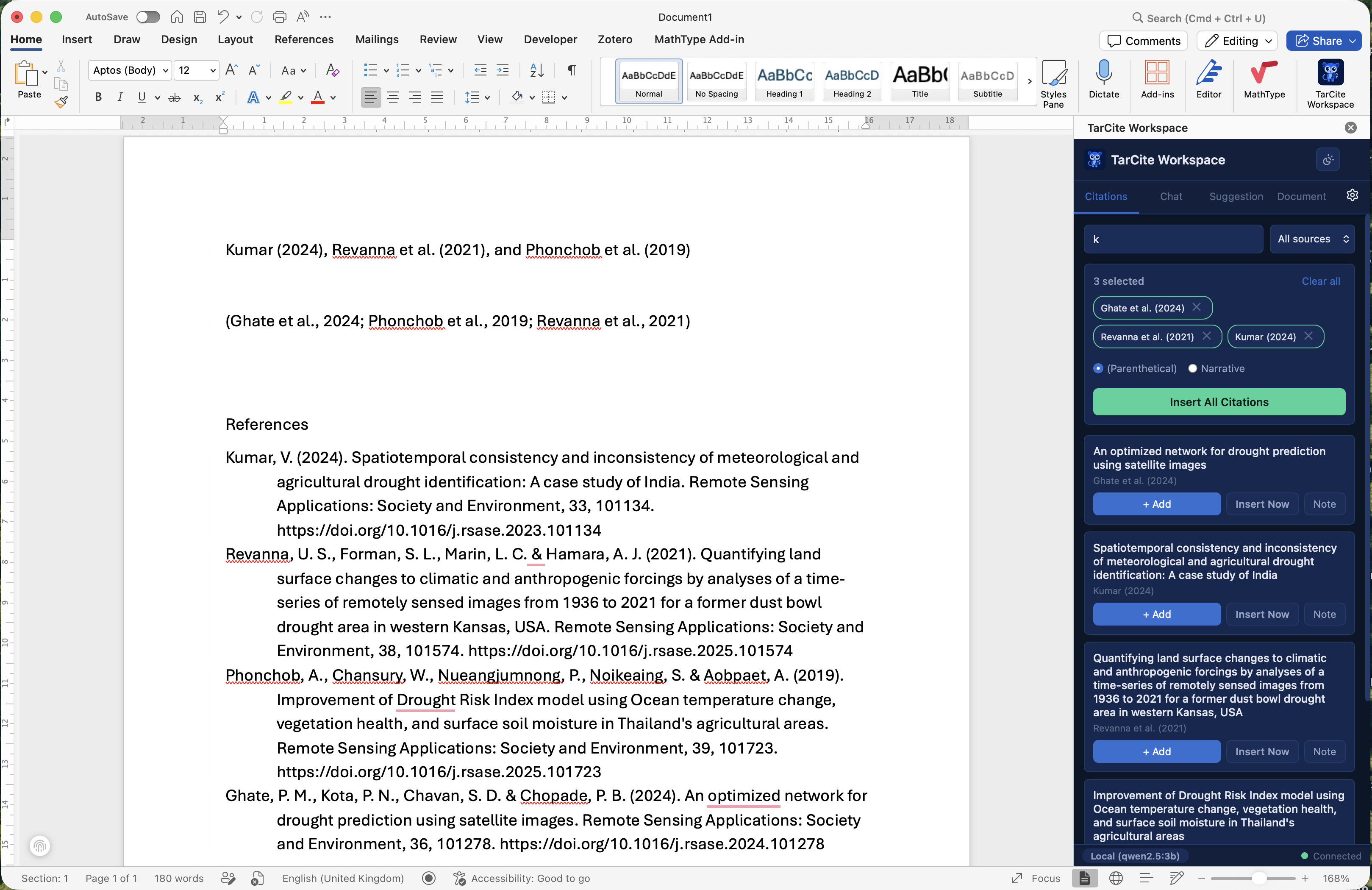
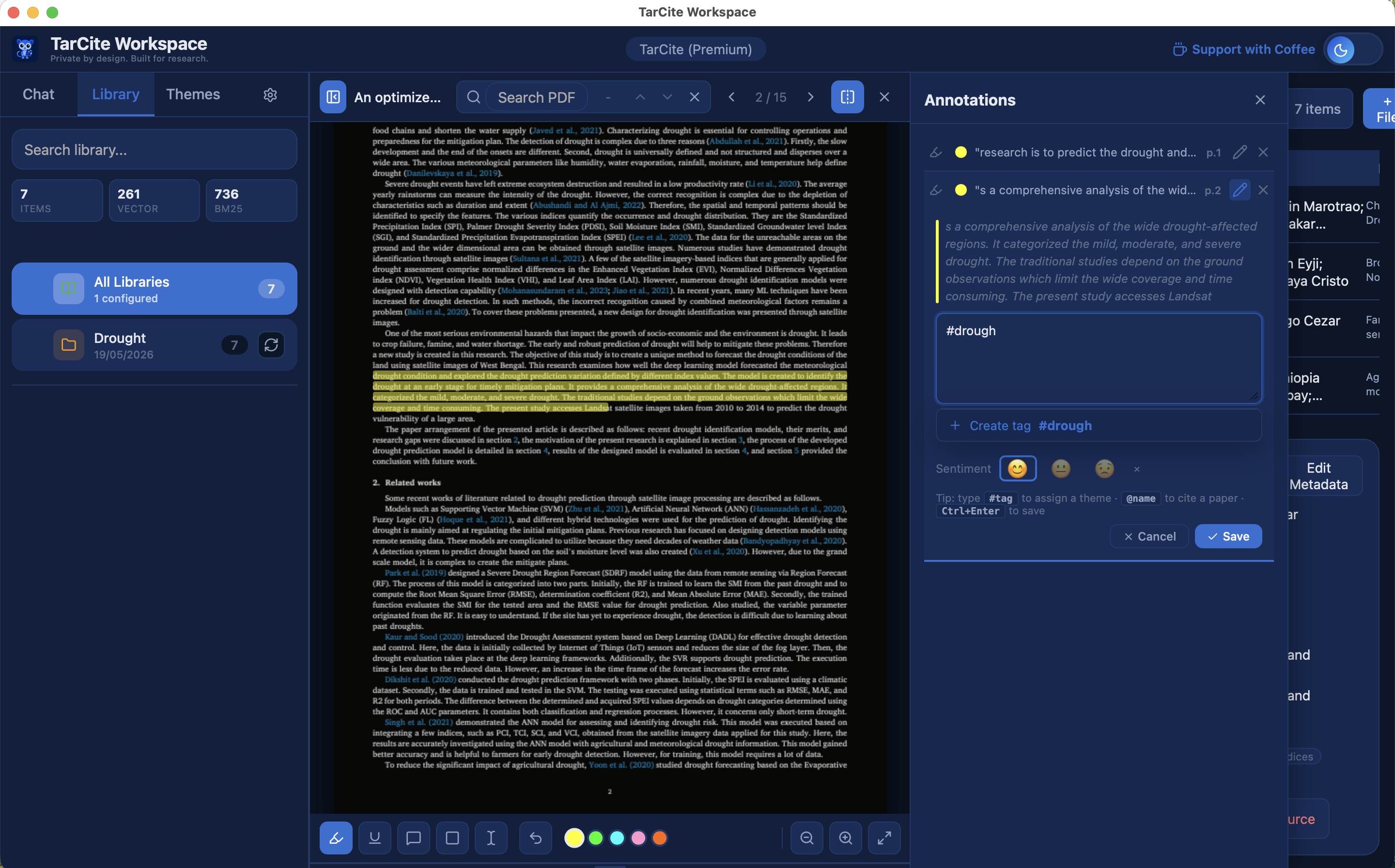
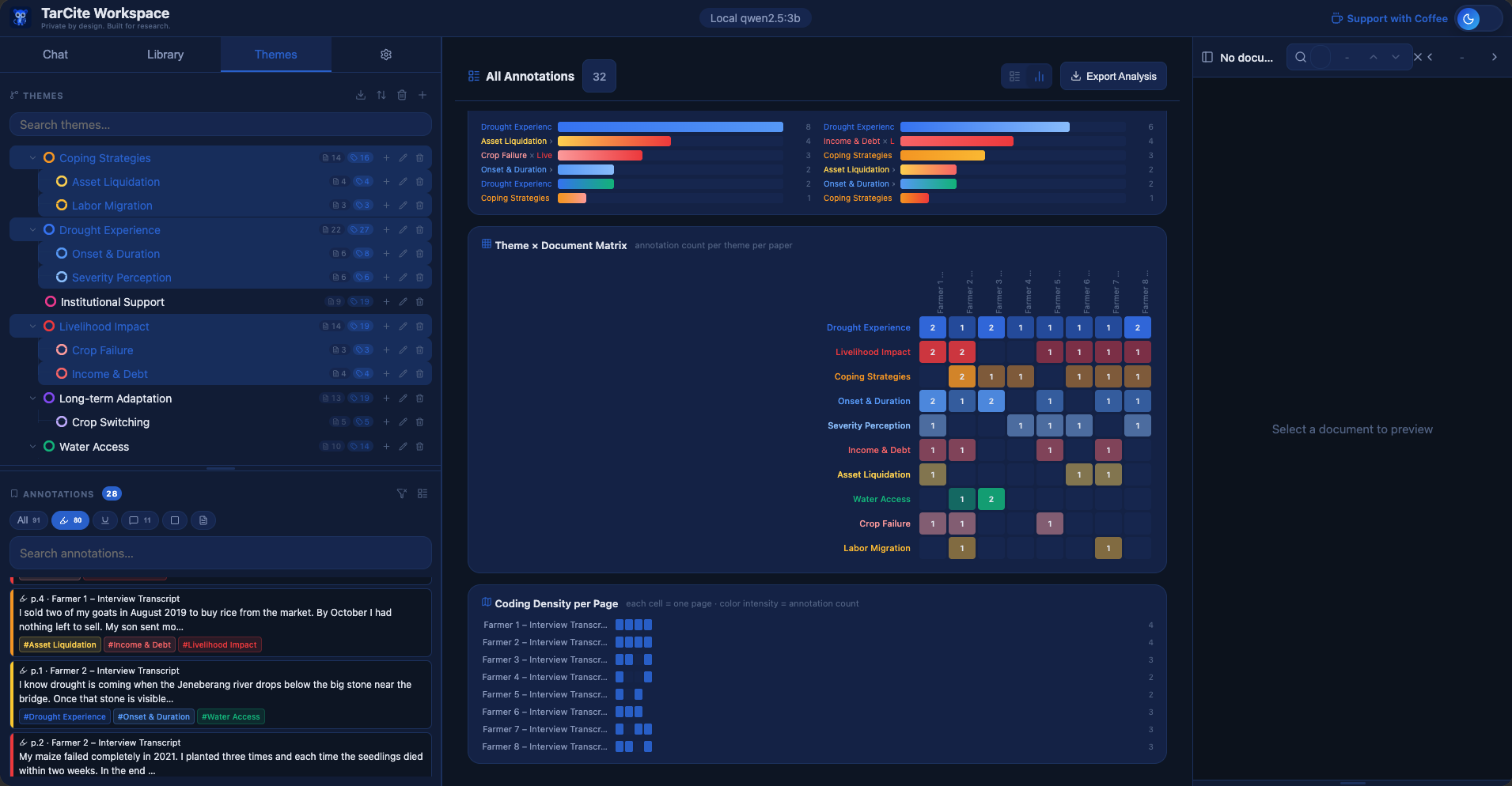
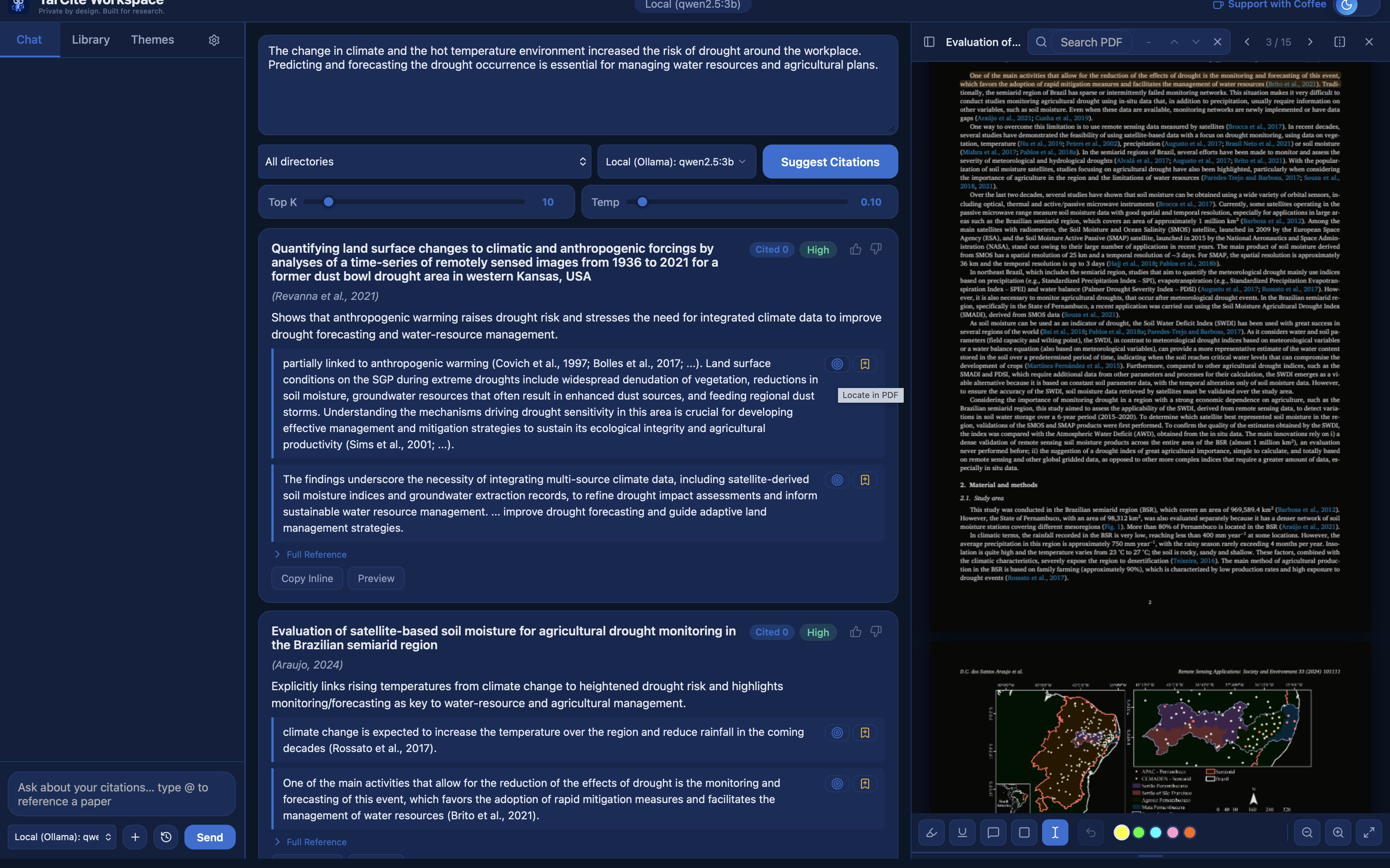
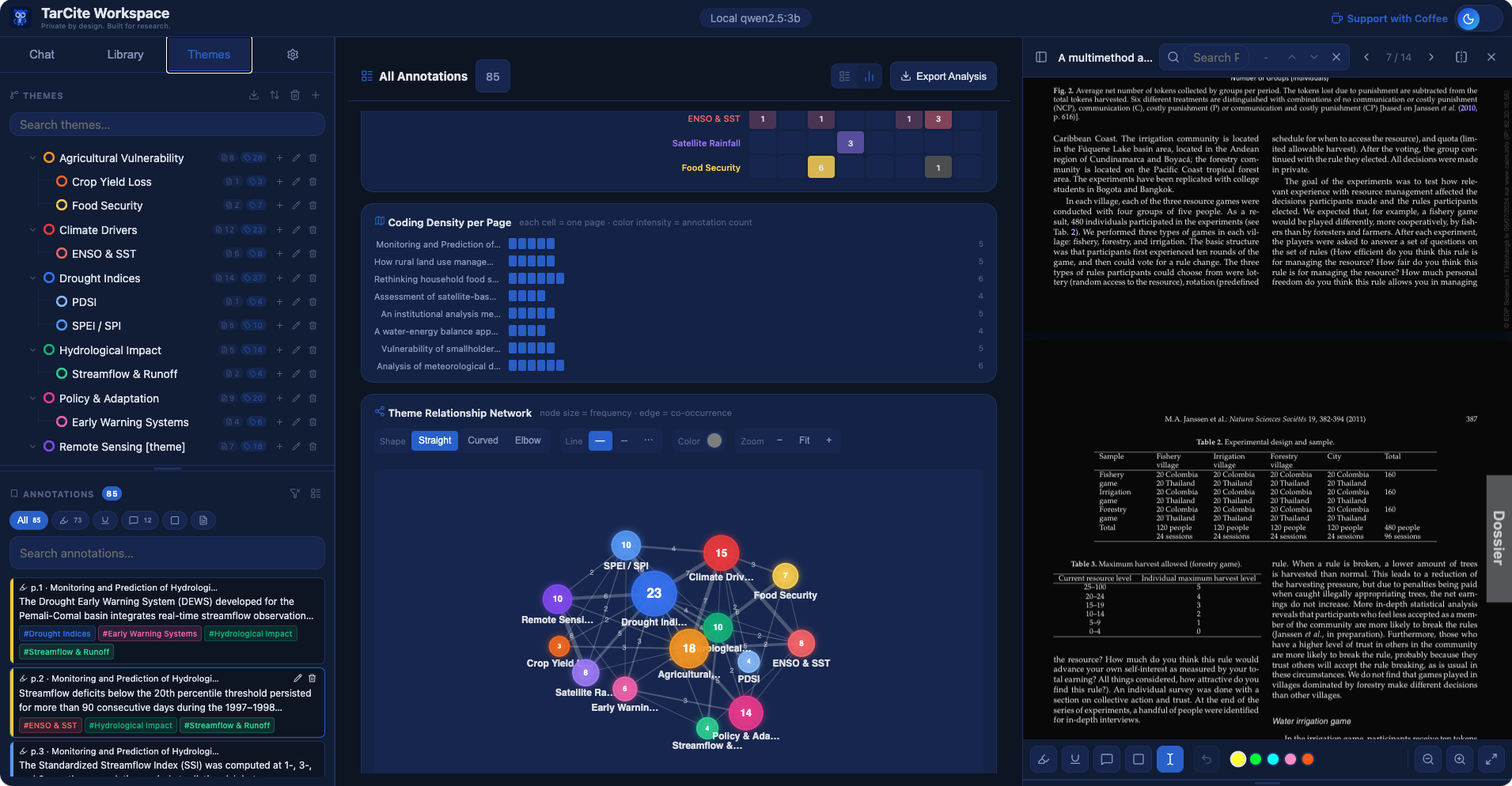
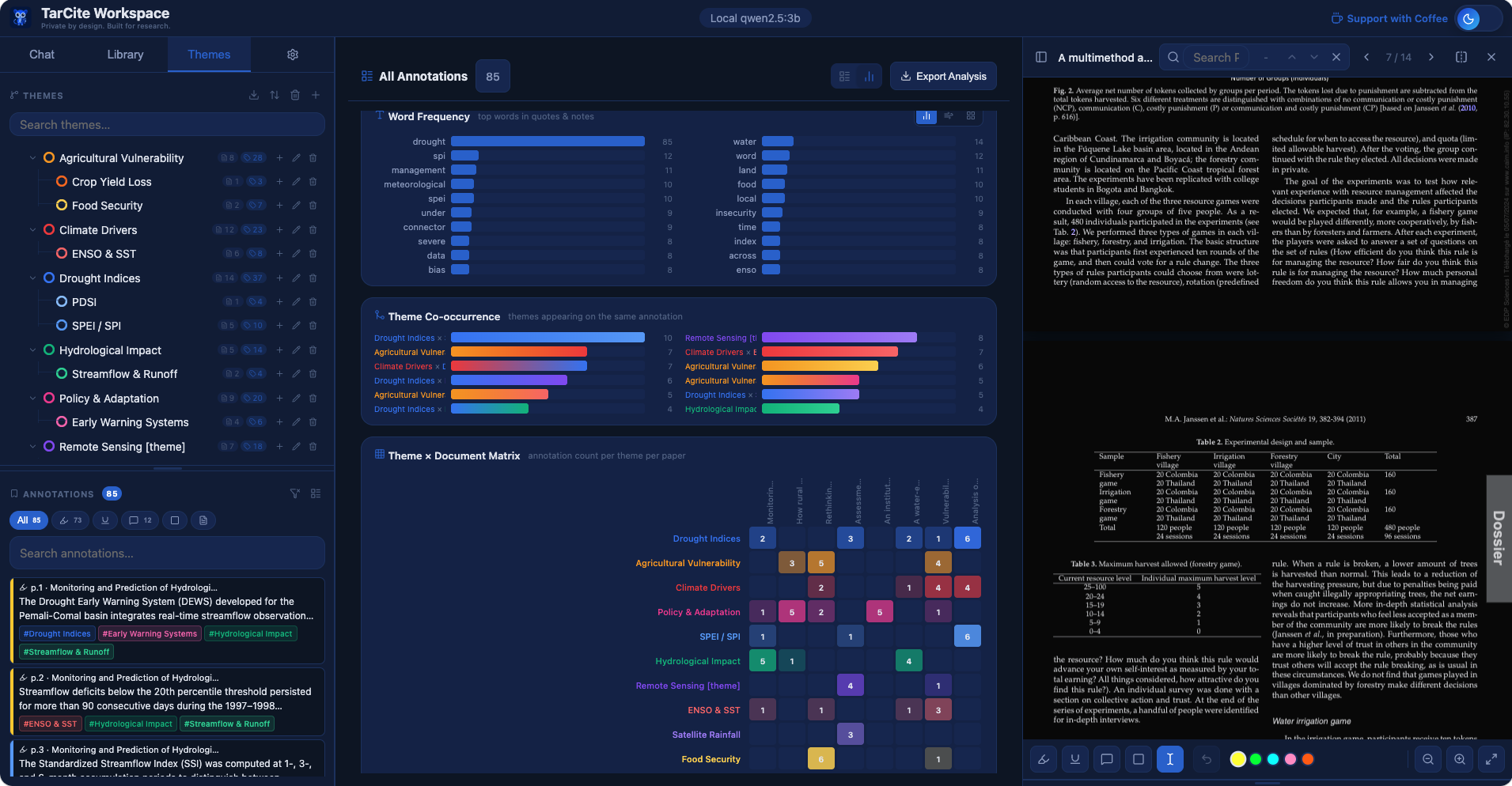
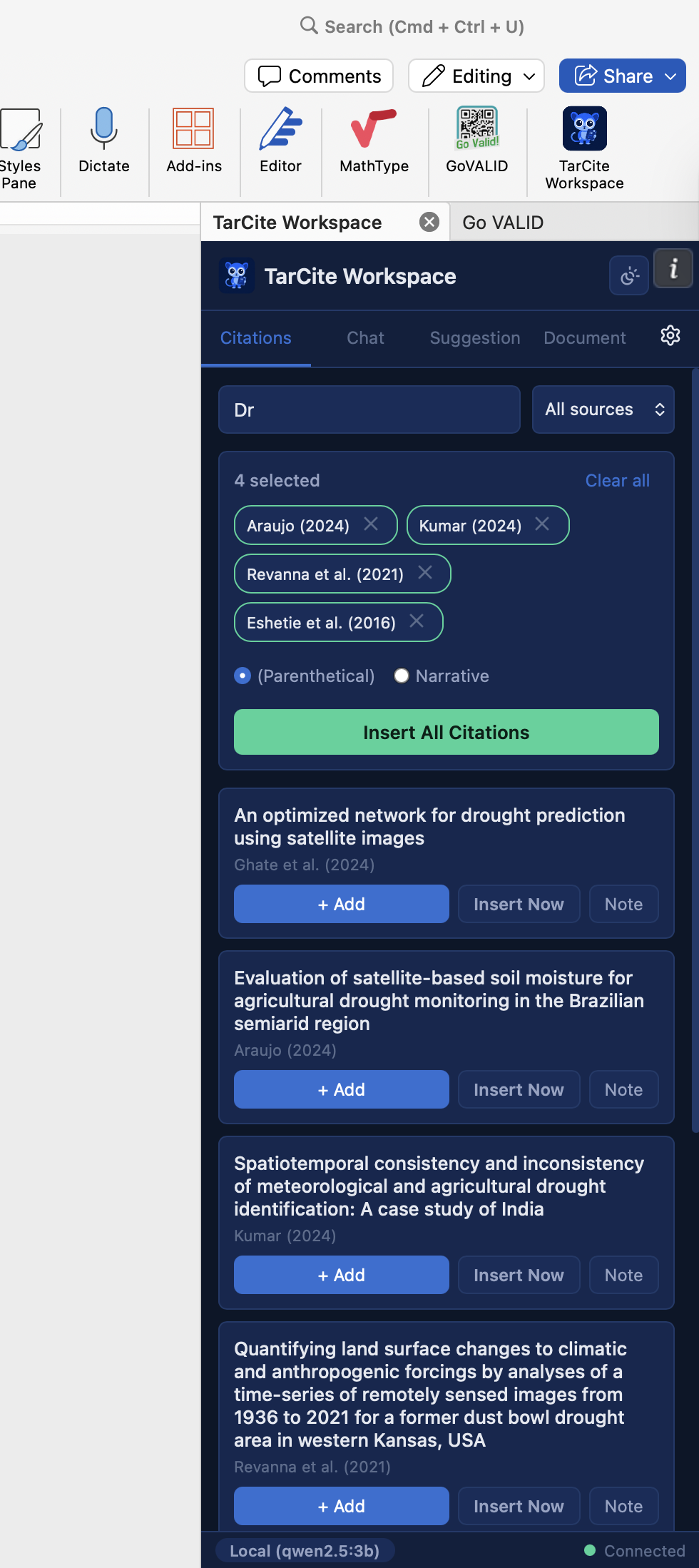
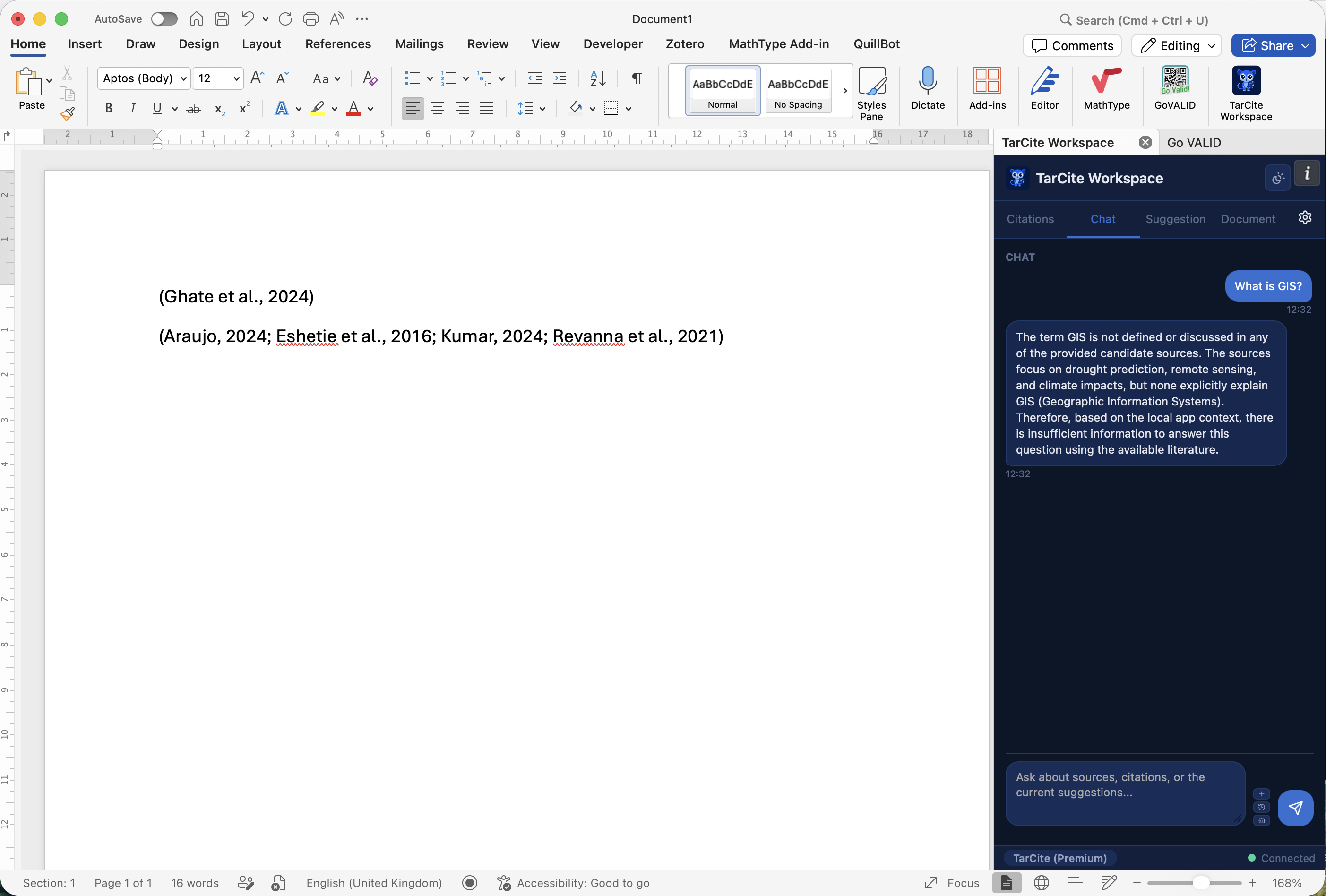
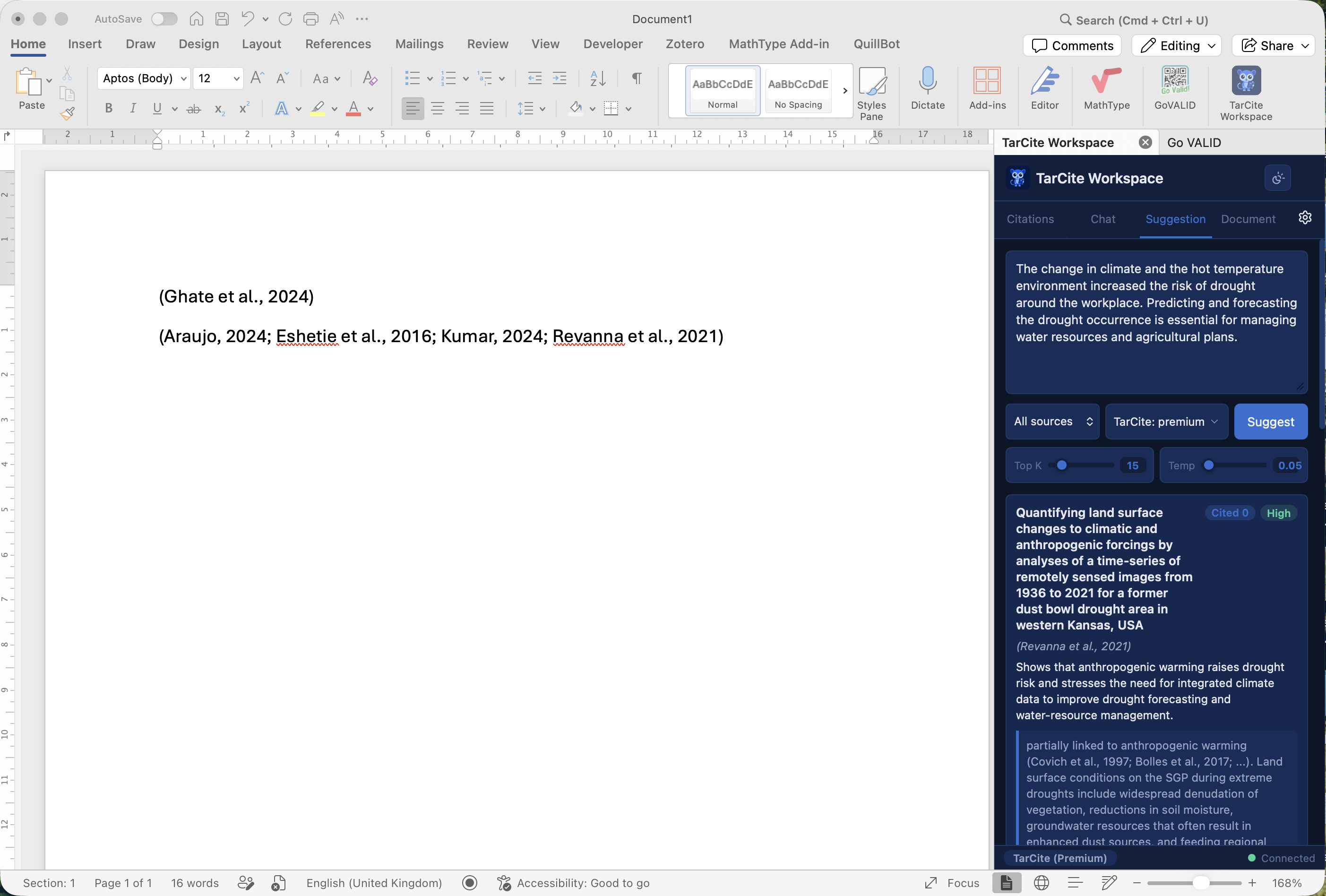
TarCite – Library view TarCite – Citation assistant TarCite – Annotation analysis TarCite – PDF reader
Why TarCite

You already have the tools.
They have your files too.

Zotero and Mendeley are great for managing references — but your PDFs sync to their servers, you need an account, and AI features require sending your text to external APIs. TarCite is built around the opposite philosophy.

TarCite
Local-First AI Reference Manager
Zotero / Mendeley
Cloud reference managers
Account required
No account, never
Required to use
Your PDFs & files
Stay on your machine only
Uploaded to their servers
Works without internet
100% offline capable
Requires connection
AI citation suggestions
Full 7-stage AI pipeline, local
~ Limited / sends text externally
AI runs offline
AI you own — runs on your device
Cloud-only, needs internet
Data ownership
You own everything, always
Subject to their terms
Microsoft Word add-in
Built-in — ready out of the box
~ Requires separate plugin install
Citation & search speed
Ultra-fast — your files, on your machine
Slow — depends on cloud round-trips
Research Ethics & Data Compliance

Built for research that cannot go to the cloud.

Many researchers are not just choosing to keep data local — they are required to. TarCite is compliant by design, not by configuration.

IRB & Ethics Approval Protocols

Institutional Review Board approvals often restrict where research data can be stored or processed. If your study involves human subjects, sensitive topics, or embargoed findings, uploading to a third-party cloud may violate your approved protocol. With TarCite, your research files and annotations are never uploaded anywhere.

GDPR & Institutional Data Policy

European and many national data protection laws require explicit legal basis for transferring personal or sensitive research data to external processors. University IT policies often prohibit storing research data in consumer cloud tools. TarCite keeps everything on your institution-controlled machine.

Unpublished & Pre-publication Work

Manuscripts under review, grant proposals, embargoed datasets — none of these should pass through a commercial cloud service. With TarCite, your unpublished papers, working notes, and annotation insights stay entirely within your own environment.

Confidential & Participant Data

Qualitative researchers working with interview transcripts, field notes, or participant quotes must ensure that data stays within agreed boundaries. TarCite's annotation and theme analysis runs fully locally — participant material never leaves your machine.

Full Feature Set

Everything for your research workflow

TarCite combines a local AI pipeline, a full-featured file library (PDF, Word, CSV, text, and more), and seamless Word integration — all running on your machine, with nothing sent to the cloud without your knowledge.

Your files never leave your machine

All PDFs, metadata, annotations, embeddings, and index data live in a local SQLite database and ChromaDB store. There is no sync, no backup to a remote server, and no telemetry beyond optional device registration.

Core guarantee

AI that works in airplane mode

Run the full citation suggestion pipeline with zero internet connection. Vector search, reranking, and LLM evaluation all run locally. Install Ollama once, and TarCite becomes fully air-gapped.

Core guarantee

AI Citation Suggestions

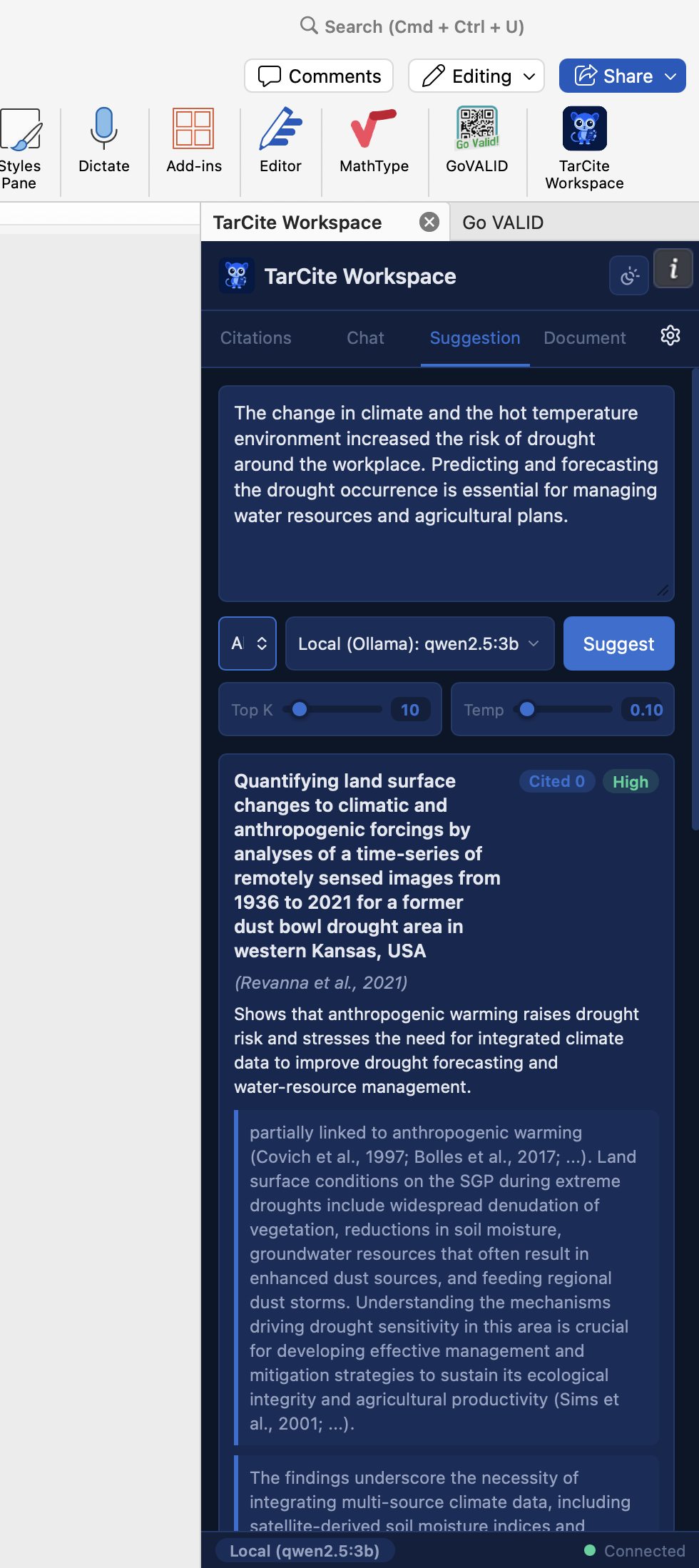
Paste a paragraph. TarCite's 7-stage pipeline retrieves, reranks, and evaluates your entire library to suggest which papers to cite — with verbatim evidence quotes and confidence ratings.

How it works →

PDF Library & Annotations

Browse, read, highlight, and annotate all your papers in one place. Tag annotations with research themes and export a full annotated report to Word with one click.

Chat with Your Papers

Ask questions about your library in natural language. Use @ to reference specific papers in context. All chat history is local — no conversation data is sent anywhere unless you use a cloud AI profile.

Theme & Annotation Analysis

Tag highlights and notes across your entire library with research themes — like NVivo, but local and integrated. Filter all annotations by theme, paper, or type, and export a structured report to Word with one click.

14 Citation Styles APA 7th APA 6th IEEE Nature Chicago Vancouver Harvard MLA ACS AMA Springer Elsevier
Word Add-in Built into package No extra install
Import Zotero BibTeX RIS PDF folder
Library Fixes
Fixed a bug that prevented multiple files from being added to the library at the same time.
AI Options

You choose how the AI runs

TarCite ships with three pre-configured AI profiles. Start fully offline with Ollama, or use the TarCite API when you want more power. You can switch at any time — or add any OpenAI-compatible endpoint.

Fully Offline

Local AI

Runs entirely on your machine — no internet, no account, no cost. Speed depends on your hardware. Ultimately free, forever.

Flexible

Your Own AI

Plug in any OpenAI-compatible provider — GPT-4, Mistral, Kimi, or your own endpoint. TarCite works with any API you already have.

Built-in Qualitative Analysis

Your annotations, analysed.
No separate tool needed.

TarCite turns your highlights and notes into a full research analysis dashboard — like NVivo, but built in, free, and entirely local. Switch to Analysis mode on any annotation view and every chart generates instantly from your own data.

Theme Frequency
Bar chart ranking how often each research theme appears across your annotations
Annotation Types
Donut chart breakdown of highlights, comments, underlines, and area selections
Annotations Over Time
Timeline of your annotation activity by month — see how your reading evolves
Word Frequency
Most frequent terms across all annotation text — as a bar chart or word cloud
Theme Co-occurrence
Which themes appear together on the same annotations — reveals conceptual connections
Theme × Document Matrix
Heatmap showing annotation counts per theme per paper — spot which papers cover which themes
Coding Density per Page
Page-level heatmap showing which pages of which papers are most densely annotated
Theme Network
Force-directed graph — node size = theme frequency, edges = co-occurrence strength
Keyword in Context (KWIC)
Search any word and see every annotation that contains it, in context — across your whole library
Theme Saturation Curve
Tracks new themes per annotation — when the curve flattens, your data is theoretically saturated
Sentiment Analysis
Positive, neutral, or negative tone detected across annotation text by theme or paper
TF-IDF & IRR
Term importance scoring and inter-rater reliability for rigorous qualitative coding
New in v.02.36 (Nokilalaki Peak)

Ink Connection, Mind Map Library, Translate & More

Organize your work into dedicated Research Projects, navigate with a new multi-tab interface, and connect your notes directly to any analysis panel — the way LiquidText users do, but fully local and integrated into your citation workflow. This release also introduces auto annotation and theme coding — key passages get highlighted and grouped into themes for you automatically.

Research Projects
Group your papers, annotations, and chat sessions into separate project workspaces — keep every study isolated and focused.
Multi-Tab Interface
Open multiple papers, chats, and analysis panels side-by-side in independent tabs — no more losing your place when switching between documents.
Ink Connection
Draw a line from any annotation or note and connect it to a chart, analysis panel, or another paper — visually link evidence to insight the way you think, not the way a form forces you.
Get Started

Download TarCite Workspace

Free to download. Free forever. No account, no subscription, no cloud setup. Just install and point it at your PDF folder.

v.02.36 (Nokilalaki Peak)
macOS macOS 12 or later · Apple Silicon & Intel
Bundle 3.5 GB Includes local LLM — works fully offline SHA2566cf4d29a99ef722c47f9d3b9b20e77d68b33c62166fd9e65e1da09866fdfedba
Minimal 981 MB Local LLM downloadable in-app SHA256ac4d891ff1105f358bcc87c465c865f69f036ced7e224e2cb0efc63a7c5ccd5e
Windows Windows 10 / 11 · 64-bit
Minimal 242 MB Local LLM downloadable in-app SHA2569c514f7b019bc5a39b1c158d38841bcf6d88603c9ec853b6c3b0e1e547bb4775
Quick Start

Up and running in 4 steps

No account, no cloud setup. Everything runs locally on your machine — just follow these steps once.

1

Download & Install

Grab the installer for macOS or Windows above and run it. No extra dependencies needed.

2

Add Library Directory

Point TarCite at your files folder (PDF, Word, or text). It indexes your papers locally — nothing leaves your machine.

3

Download Model Package

Open Settings and pull a local AI model. One click — TarCite runs fully offline after this step.

4

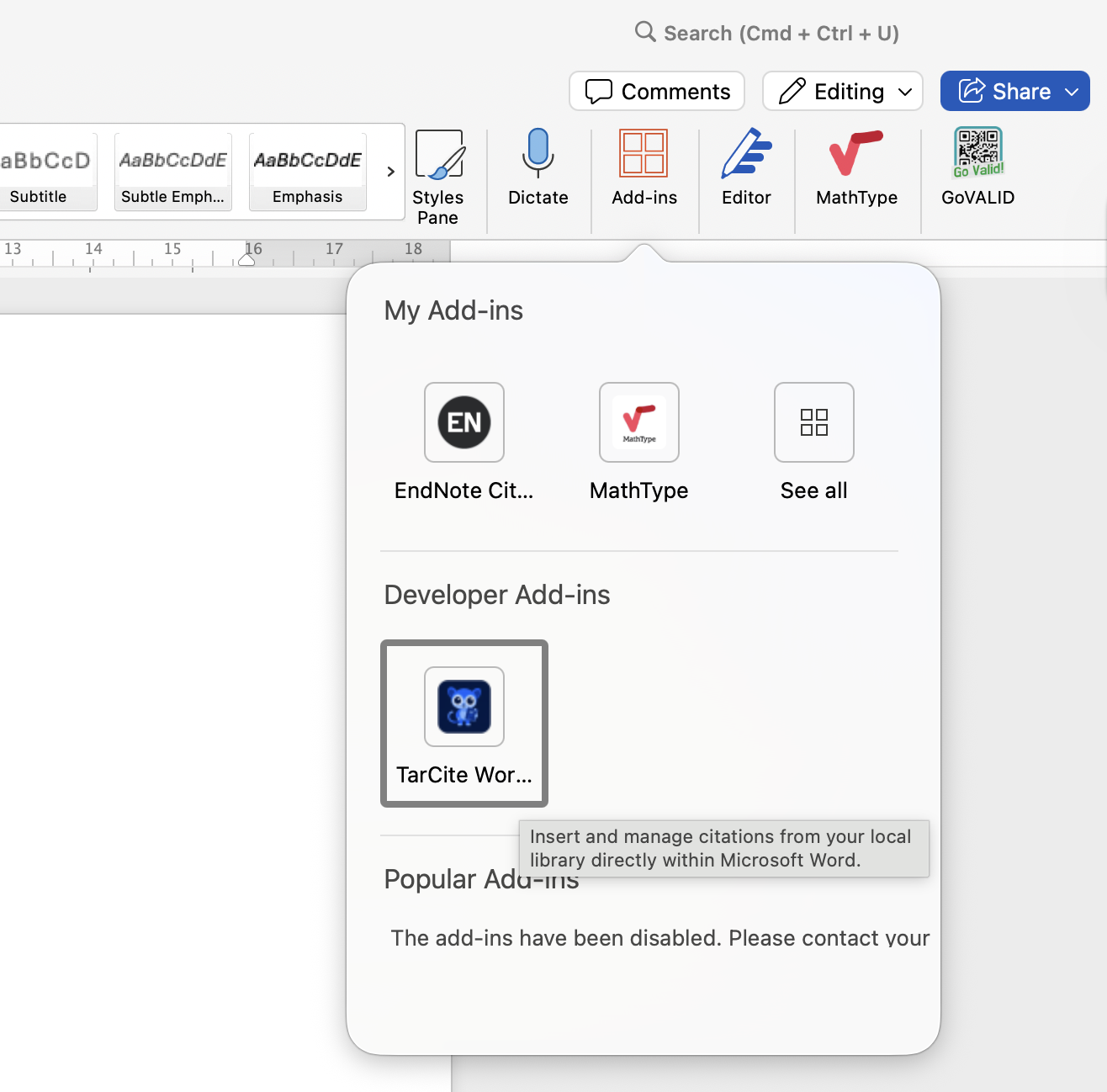
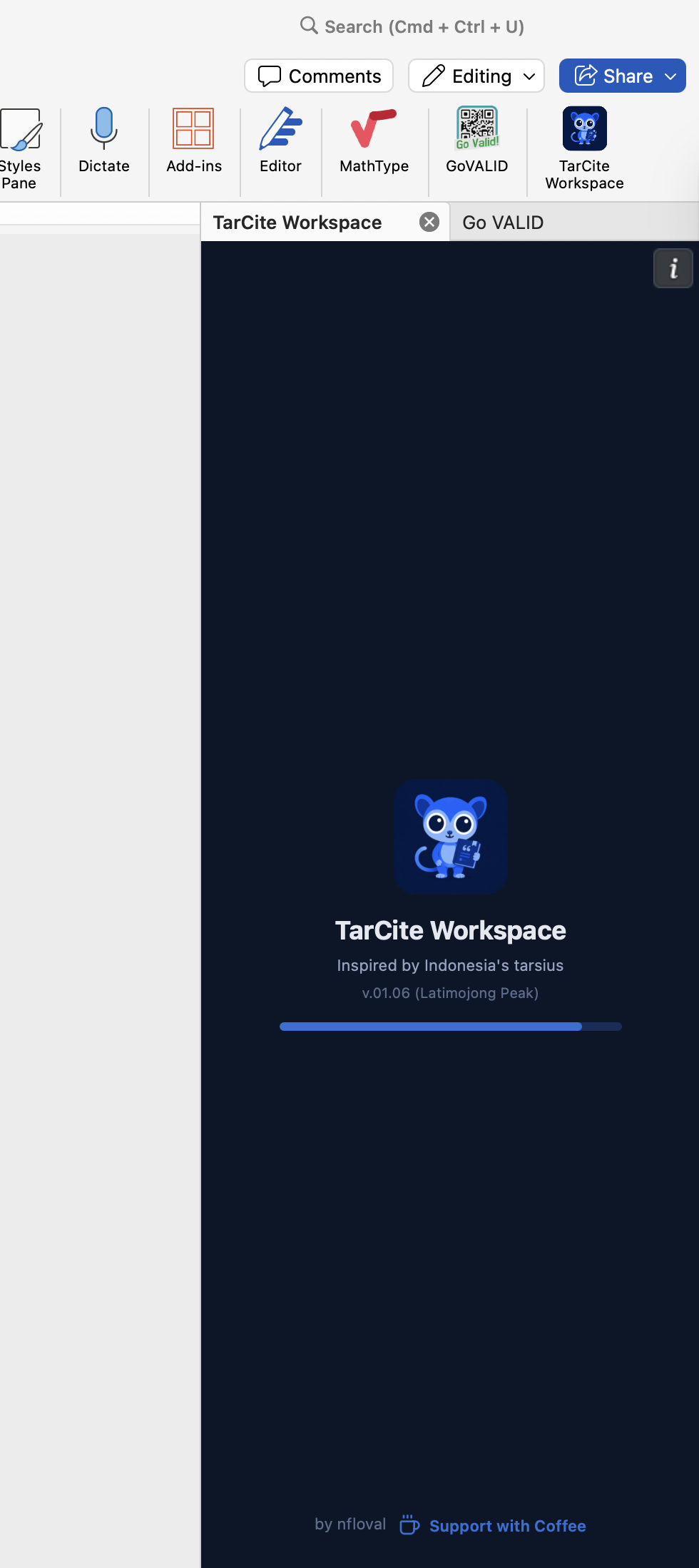
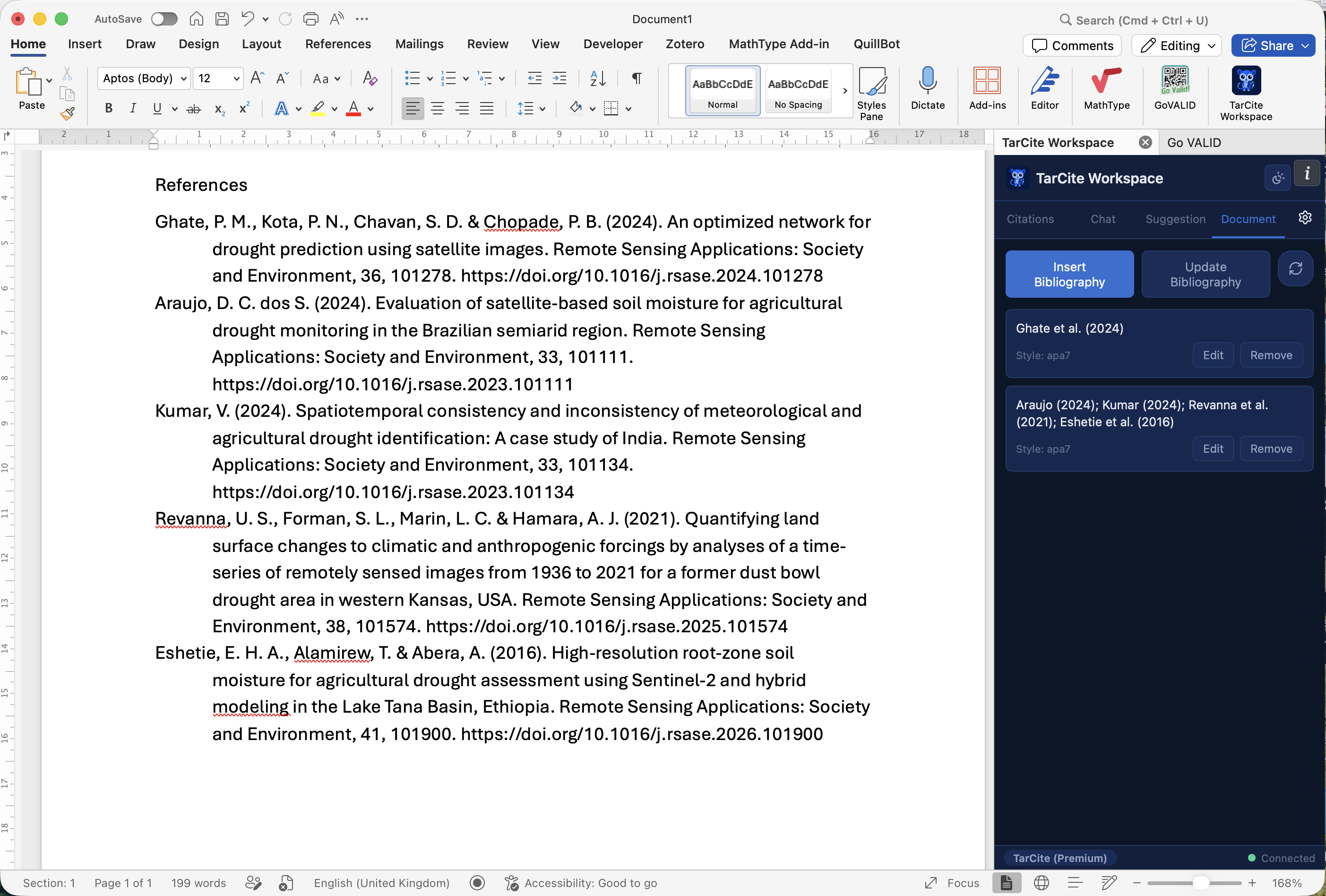
Install Word Connector

Add the TarCite plugin to Microsoft Word or LibreOffice and insert citations without switching windows.

Indonesian Tarsius
v.02.36 (Nokilalaki Peak)
The name behind TarCite

Inspired by the Indonesian Tarsius

The tarsius — or tarsier — is a tiny primate found across the forests of Indonesia (including Borneo, Sumatra, and Sulawesi) and the Philippines. What makes it extraordinary is its eyes: proportionally the largest of any mammal, built to see with pinpoint precision in the dark.

TarCite borrows that idea. Most citation tools scan the surface — titles, keywords, obvious matches. TarCite looks deeper, into the body of your papers, finding the exact passage that supports your claim even when the vocabulary doesn't obviously match. Like the tarsius, it's small, local, and sees things others miss.

Stay in the Loop